PERSONAL EXPERIMENT / SPRING → FALL 2026
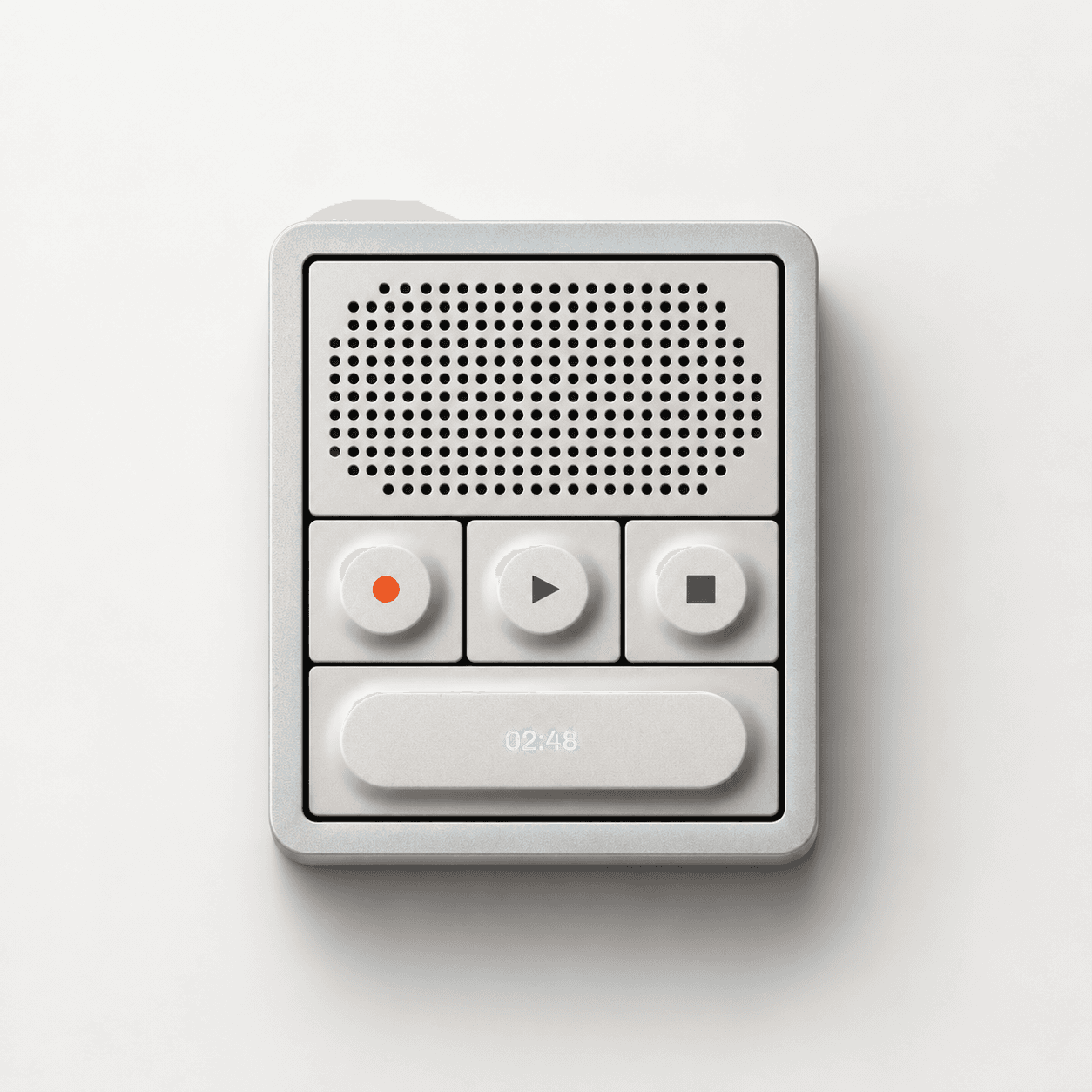
AN ACCIDENTAL AUDIO RECORDER
This didn’t start with a brief to build an audio recorder. It started with a button, a little time between student projects, and a curiosity about making something on a screen feel like a physical object.
Across two semesters of my UI/UX class at Utah Valley University, a Figma exercise inspired by the Teenage Engineering OP-1 became a working tool with Codex.
Try the recorder
spring 2026 / figma / utah valley university
A TACTILE FIGMA EXERCISE
During the Spring 2026 semester, I played with the file while my UI/UX students at Utah Valley University worked on their own projects. The Teenage Engineering OP-1 was my visual reference, but the exercise was simply to create a tactile, physical-like tool in Figma.
I started by recreating a button. Once it felt right, I duplicated it for record, play, and stop. I also made it responsive so the same button could stretch to fill a space and become the larger pill-shaped control at the bottom.


THE RECORDER REVEALED ITSELF
From the buttons, I moved on to the speaker element, then built the housing to round out the object. There wasn’t a product plan guiding those pieces—one detail simply led to the next.
Only when I stepped back and looked at what I’d put together did I realize it had the pieces of an audio recorder. The idea emerged from the making, rather than the other way around.

fall 2026 / from figma to a working tool
REDISCOVERING THE FILE
This fall, while another group of students worked on their projects, I came across the Figma file again. This time, I wondered whether I could make it work—not just look like something that might.
I iterated on the design just a little bit, thinking about how the large pill button might function within the tool, and then brought the design into Codex and used it to turn the interface into a functional audio recorder. It saves recordings, transcribes them, and lets you add voice effects just for fun. That was the moment the design exercise became a real experiment.


01 / capture
02 / convert
03 / play
a tactile interface, now working in the browser / desktop + mobile
03 / IMAGINING THE HARDWARE
With a working recorder in the browser, I took the idea one step further: imagining it as an actual physical product. I used ChatGPT to generate hypothetical product photography, bringing the original tactile Figma exercise full circle.
The hardware is imagined. The audio recorder is real.


IMAGINED HARDWARE / AI-GENERATED PRODUCT PHOTOGRAPHY
A SMALL EXERCISE, AN UNEXPECTED TOOL
What I like about this experiment is that the idea didn’t come first. A button became a set of controls, the controls became an object, and a semester later that object became something I could actually use.
It’s a reminder to leave room for play in the design process—and to revisit the things that didn’t have a clear purpose when I made them.
Try the recorder